AI that runs the repetitive work, so your team can take the next step.

buildbrink builds AI-centric products that automate business processes end to end: reading documents, entering and checking data, chasing approvals and preparing reports. People stay in control and step in only where judgment matters.

10+ yearsbuilding data platforms Healthcare, retail, insurance Databricks & GenAIcertified

What buildbrink does

AI that runs your processes, not just answers questions.

Most businesses run on the same steps repeated every day: copying details from documents, checking forms, following up, preparing reports. buildbrink turns those steps into automated workflows with AI at the centre and people in control.

AI process automation

Map a process end to end, then automate it: AI reads, checks and acts, and people approve the exceptions.

  • Documents in, clean data out: forms, IDs, invoices, applications
  • Checks, approvals and follow-ups that run by themselves
  • Human review for anything the AI isn't sure about

AI assistants for your team

Assistants that know your business: they answer from your own documents and data, and do the writing for you.

  • Search across policies, manuals and records in plain language
  • Drafts of emails, reports and summaries, ready to review
  • Answers grounded in your data, with sources shown

Data foundations for AI

AI is only as good as the data behind it. This is where 10 years of data engineering comes in.

  • Pipelines and dashboards on Databricks or BigQuery
  • Data quality checks and privacy (masking personal data) built in
  • One trusted place for data that's scattered today

Apps and cloud to run it

The secure apps and cloud setup that put the automation in your team's hands, and keep it running.

  • Web apps, review screens and admin consoles
  • Automatic deploys, monitoring and secure sign-in
  • Running costs kept low and under control

Examples

What AI automation can look like in practice.

Every business is different, so these are examples of what's possible, not packaged products.

Insurance

Paper data sheet to customer record

  1. Photo of a filled form
  2. AI reads every field
  3. Agent confirms
  4. Record saved

No retyping. Unclear handwriting is flagged for a person to check.

Finance

Invoices to accounts, automatically

  1. Invoice arrives by email
  2. AI extracts the amounts
  3. Checked against orders
  4. Ready to pay

Mismatches go to a person; everything else flows through.

Operations

A daily report that writes itself

  1. Data from your systems
  2. AI summarises the day
  3. Unusual numbers highlighted
  4. In your inbox at 9 am

Managers read three lines instead of building a spreadsheet.

Recent work

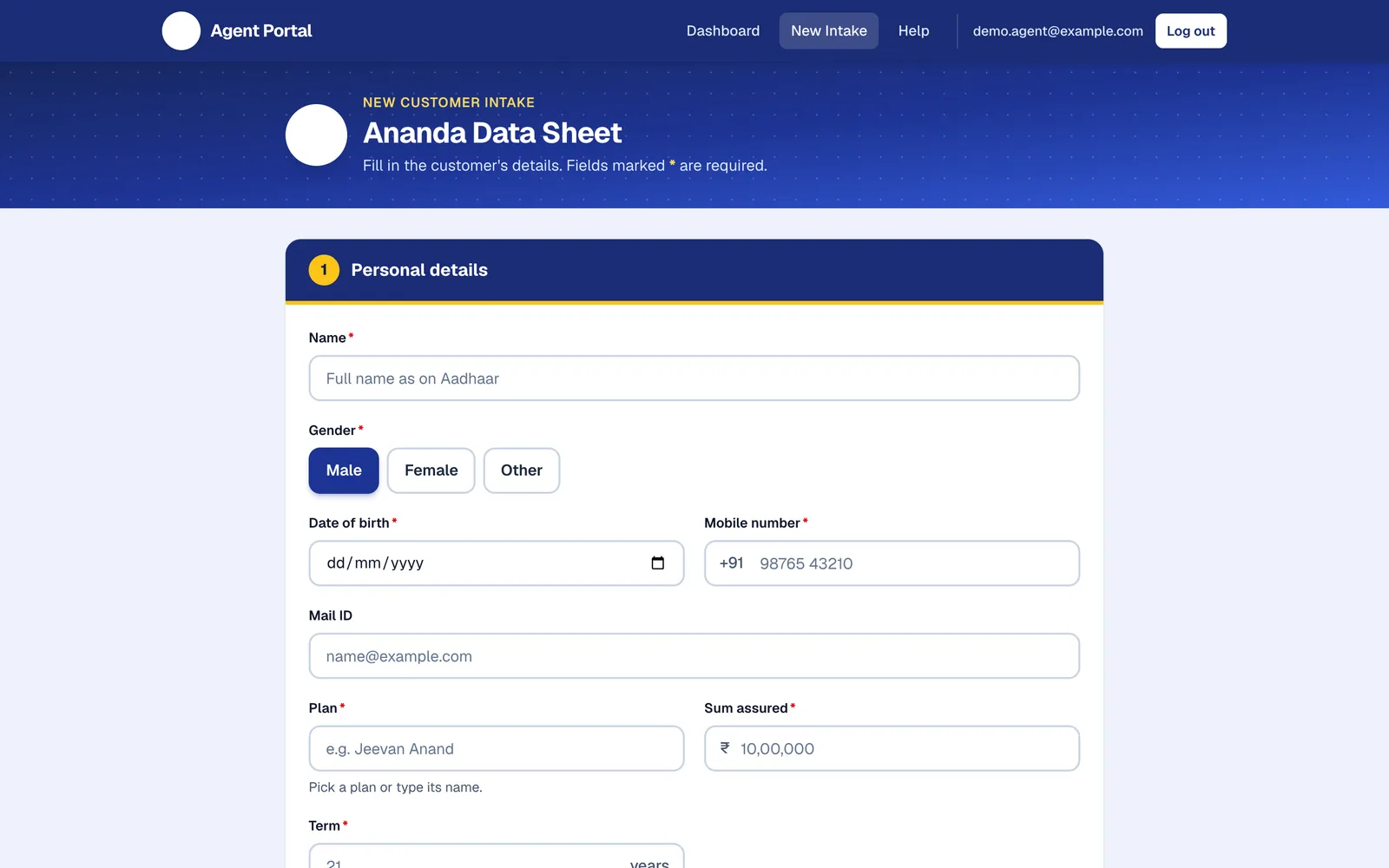
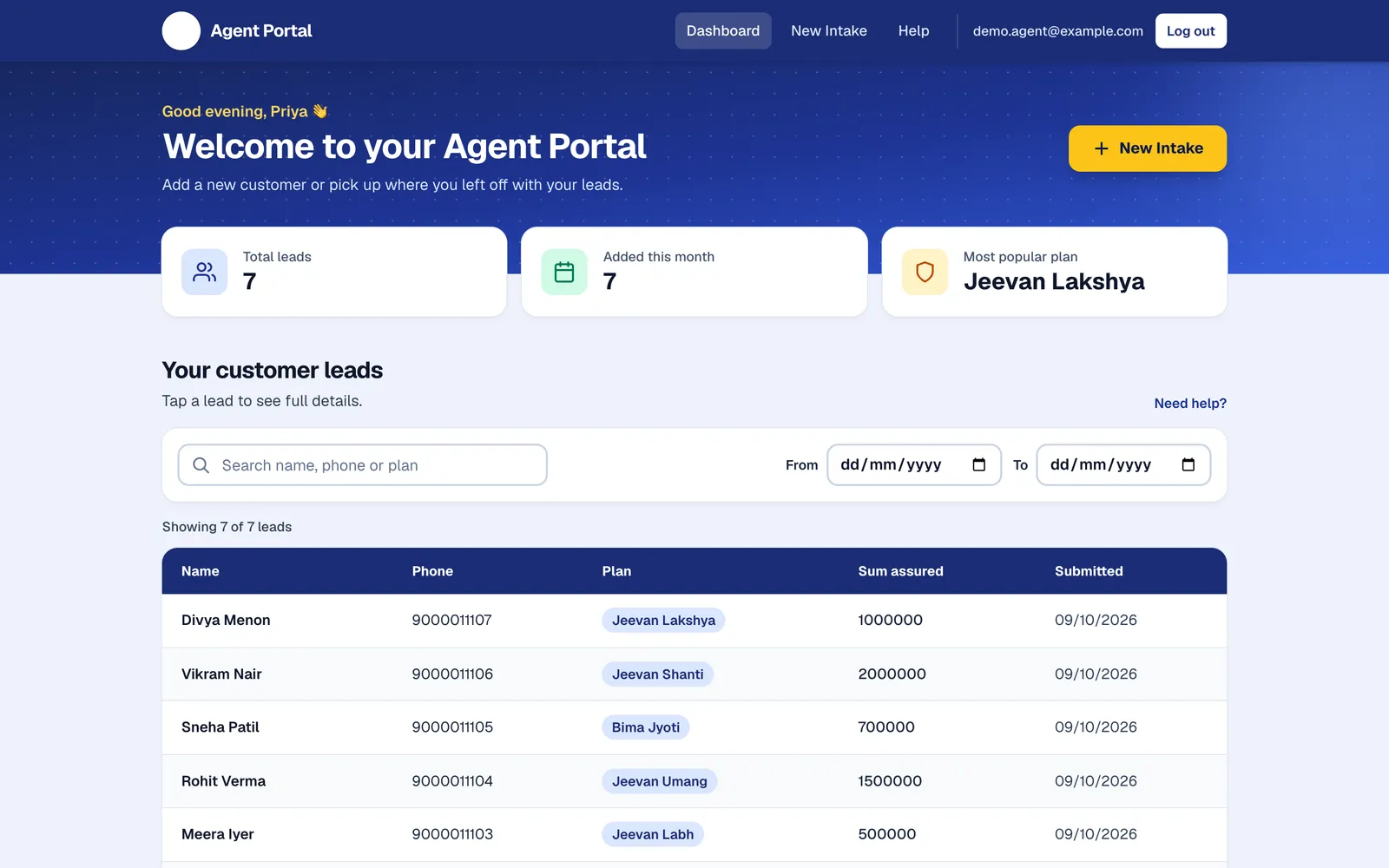
Step one of automation: a customer intake portal for insurance agents.

Automation starts with getting data off paper and into one trusted place. This project did exactly that, and sets up the natural next step: AI that reads a photo of a filled data sheet and completes the record for the agent.

From paper data sheets to a secure app in the cloud

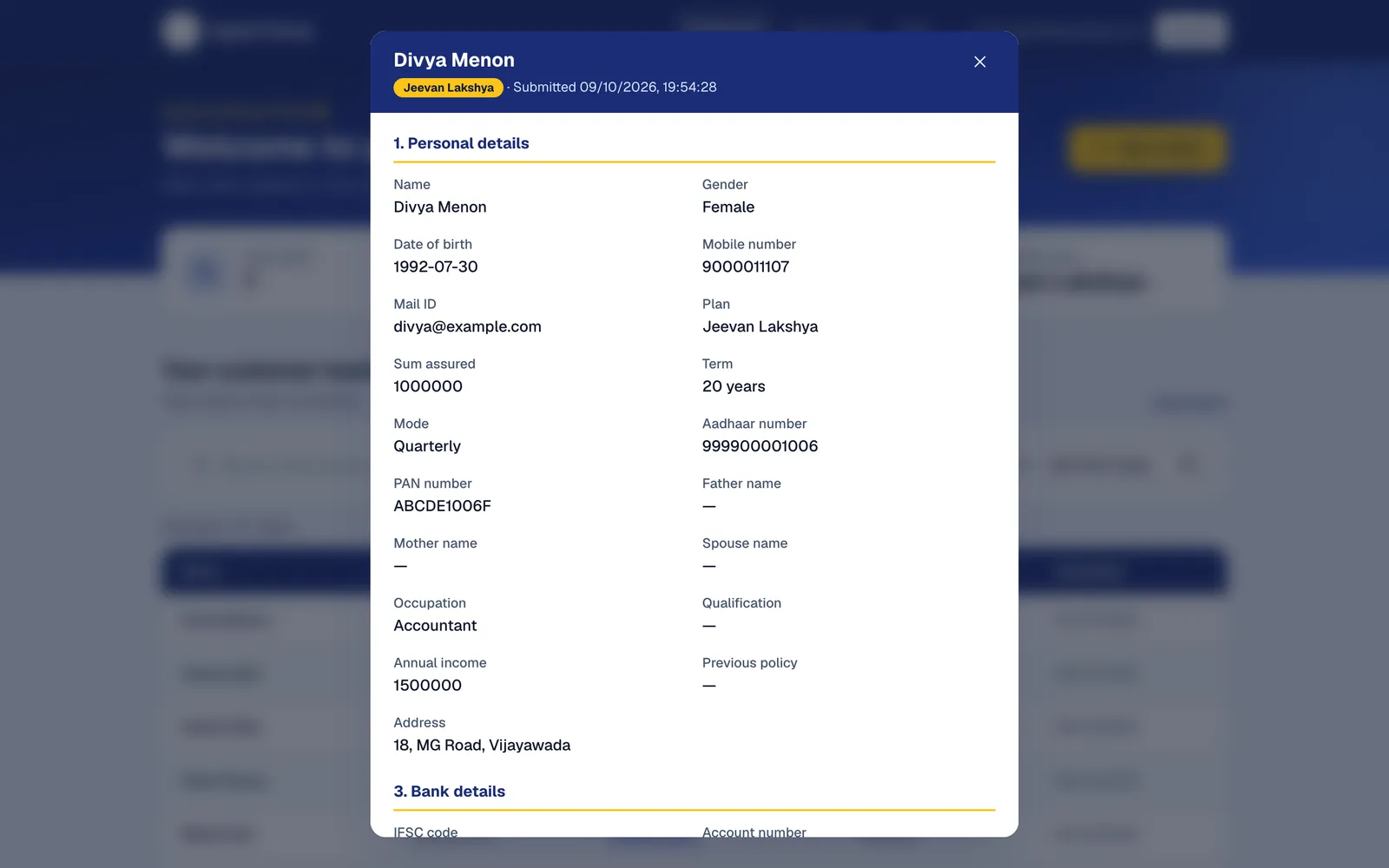
Insurance agents were collecting customer details for new policies on printed data sheets. buildbrink built a portal that mirrors the familiar paper form, keeps every customer safely in the cloud, and lets the administrator control exactly who can sign in.

What was built
  • Digital intake form matching the paper sheet agents already know
  • Personal dashboard with search and date filters for each agent
  • Admin console: approve access requests, invite agents, disable accounts
  • Email and Google sign-in; agents only ever see their own customers
  • Automatic deploys, uptime monitoring and a custom web address
Built with
Next.js Firebase Authentication Firestore Google Cloud Run GitHub Actions
Running cost
$0 a month at its current size

Screenshots use made-up customers.

How it works

Automation you can trust, built in small steps.

  1. Map the process

    Walk through how the work happens today and find the steps that take the most time and are safe to automate.

  2. Prototype on real examples

    Try the AI on your own documents and data first, and measure how often it gets things right before building more.

  3. Launch with people in control

    Go live with review screens for anything uncertain, secure sign-in, monitoring, and costs you can see.

  4. Improve and extend

    Learn from the cases people correct, raise accuracy, and automate the next process when you're ready.

Gangaraja Sekhar Guthula

Founder, buildbrink
Bengaluru, India

LinkedIn profile

About

Enterprise data and AI experience, for businesses of any size.

I'm a senior data engineer with more than 10 years of experience building large data platforms for healthcare, retail and insurance companies: pipelines handling millions of records a day, real-time analytics, and AI built directly into data pipelines for tasks like enrichment, scoring and spotting problems before they happen.

I started buildbrink to bring that experience to businesses of any size: AI-centric products that automate real processes, are secure and cheap to run, and are built by someone who explains things in plain language and stays with the project after launch.

Databricks Certified Data Engineer ProfessionalDatabricks
Databricks Certified Generative AI Engineer AssociateDatabricks
DP-203: Data Engineering on Microsoft AzureMicrosoft
PCAP: Certified Associate Python ProgrammerPython Institute

Which process takes up most of your team's time?

Describe it in a few lines: what comes in, what your team does with it, and where it goes. I'll reply within two working days with how it could be automated.